
Zobirez 420W 10-Port Fast USB Charging Station
4.5Editor score
Ten USB ports for fast charging
Includes eight short mixed cables
One piece slots prevent breakage
This guide compares the top 10 best charging stations for Chromebooks in October 2026 for classrooms and offices with safety and organization.
Finding the right charging station for Chromebooks is essential for keeping classrooms and offices organized. A good station protects devices from damage while providing reliable power access for every user. It ensures that students and employees can start their day with fully powered tools.
We compared ten top-rated models based on capacity durability and safety features. Each option offers unique benefits for different environments like schools or business workspaces. Our analysis highlights the most reliable solutions for managing large fleets of mobile devices.
Each pick shows key strengths like cable management or open designs for cooling. Note that prices can change frequently so check current listings before buying. This guide helps you choose the perfect fit for your specific charging needs.
4.5Editor score

4.7Editor score
5.0Editor score
This table provides a side by side comparison of all ten products. It highlights key specs and design choices to help you find the right fit.


This POCHAR station is a top rated option for classrooms and offices. It features eight universal slots designed for laptops up to fourteen inches. The included power strip ensures safe charging for every device simultaneously.
We may earn a commission when you buy through this link, at no additional cost to you.
The wide angle slots allow devices up to 1.4 inches thick to fit easily. This is perfect for Chromebooks with thick cases. The high quality materials ensure longevity in high traffic environments.
While the slots are fixed they accommodate most standard devices well. The only minor limitation is if you need to mix very small phones with laptops. But for school fleets this is not an issue.
Schools and businesses should buy this for reliable daily use. The no assembly feature saves setup time. It is a highly recommended choice for organized device management.
Slots fit Chromebooks with cases up to 1.4 inches thick for versatile storage.
Built-in surge protection prevents voltage spikes and keeps devices safe.
We may earn a commission when you buy through this link, at no additional cost to you.
This station offers a balanced mix of AC and USB ports. It supports ten devices at once with six AC outlets and four USB slots. The design helps reduce clutter significantly.
We may earn a commission when you buy through this link, at no additional cost to you.
The vertical open rack allows quick access without removing devices from slots. This is helpful in busy offices where students need fast access. The cable management system keeps cords tidy.
The vertical design takes up floor or desk space which might be tight. But the efficiency gained from the open access makes it worth it. It is a practical choice for shared spaces.
Offices needing mixed power types should choose this model. The USB ports add flexibility for phones. It provides organized and safe charging for teams.
Six AC and four USB ports handle laptops and mobile devices together.
Vertical slots enable quick device insertion without door removal.
We may earn a commission when you buy through this link, at no additional cost to you.
This rack offers fourteen independent slots for high density storage. It is built from solid steel for exceptional stability. The open frame design promotes natural ventilation for heat dissipation.
We may earn a commission when you buy through this link, at no additional cost to you.
You will need to provide your own power strip since it is not included. This allows you to choose your preferred power setup. The leveling feet help on uneven surfaces.
The lack of a built-in strip might be a downside for some. But the sturdy build and high slot count make up for it. It is very durable for daily use.
Libraries and large classrooms needing many slots should buy this. The ventilation keeps devices cool. It is a robust storage solution for fleets.
Open frame design prevents overheating during extended charging sessions.
Solid steel construction resists deformation in high traffic areas.
We may earn a commission when you buy through this link, at no additional cost to you.
This model features eight padded shelves to protect devices from scratches. The UL approved power strip ensures safety compliance. It is perfect for smaller classrooms.
We may earn a commission when you buy through this link, at no additional cost to you.
Removable dividers let you adjust the layout for different sizes. The back tray helps organize cables and adapters neatly. The open cart design is easy to access.
Some assembly is needed which might take extra time to setup. But the padding and safety features are worth the effort. It fits well on standard desks.
Small teachers should buy this for their device sets. The protection features keep laptops safe. It is a reliable and safe option.
Soft pads on shelves prevent scratches on Chromebooks.
UL approved power strip guarantees safe electrical performance.
We may earn a commission when you buy through this link, at no additional cost to you.
This charging station offers twenty ports including USB C and A. It comes with ten cables to reduce mess. The GaN technology ensures safe efficient charging.
We may earn a commission when you buy through this link, at no additional cost to you.
The slots are one-piece to avoid breakage over time. Two wider bays fit laptops or tablets with cases easily. It is great for mixed devices.
It is a desk station not a full rack for storage. This might limit space if you need to store many devices. But the charging speed is excellent.
Offices needing fast power for many gadgets should buy this. The included cables save cost. It is a high value power hub.
Ten short cables included help say goodbye to mess.
GaN V chip actively defends against overheating and overcurrent.
We may earn a commission when you buy through this link, at no additional cost to you.
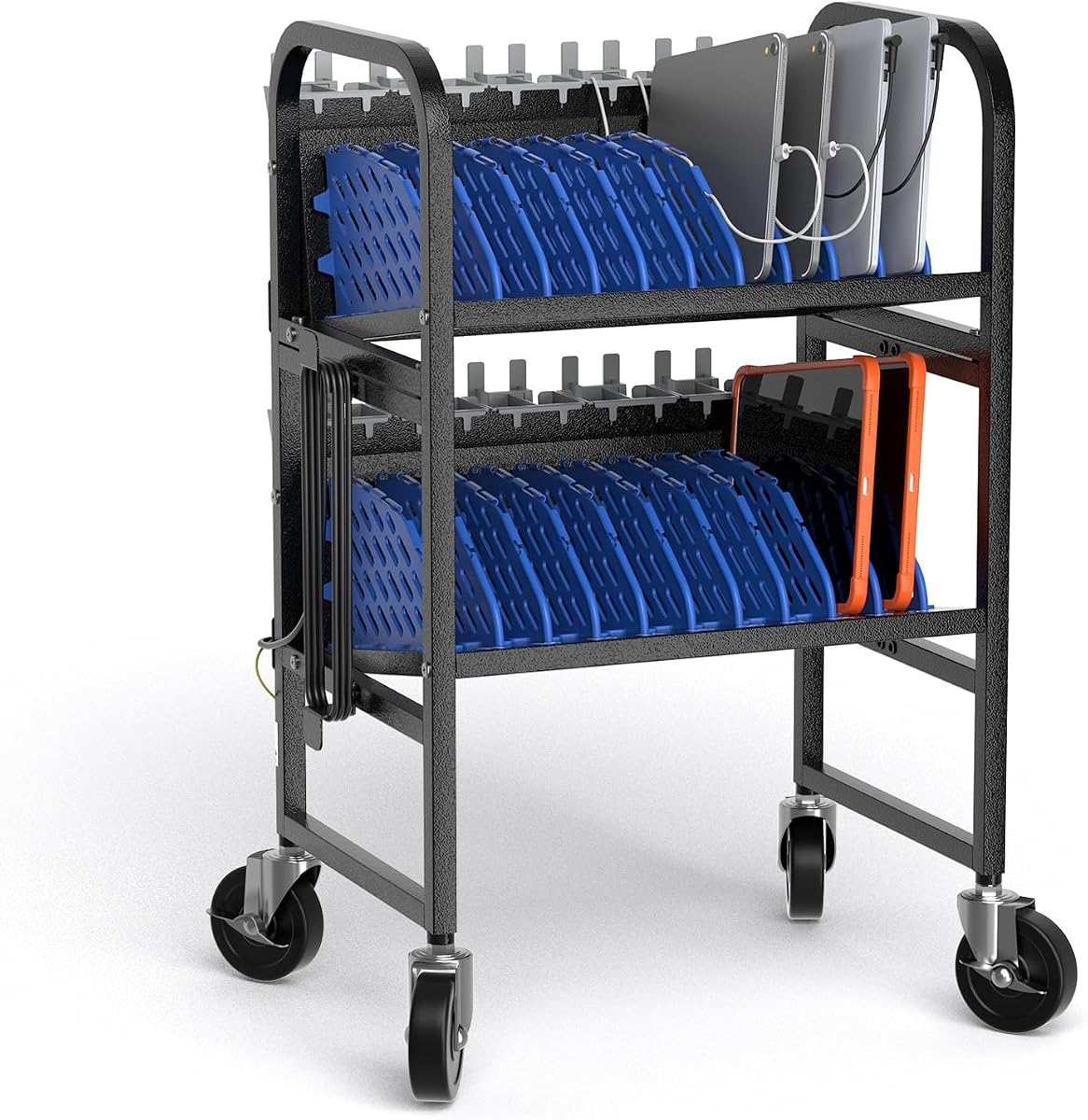
This mobile cart stores and charges twenty devices at once. It features durable swivel casters for easy movement between rooms. The industrial grade build ensures longevity.
We may earn a commission when you buy through this link, at no additional cost to you.
Adjustable dividers allow you to customize storage for different sizes. The open frame design improves airflow during charging. This prevents heat buildup effectively.
The larger size might take up space in small rooms. But the mobility allows you to share it across multiple classes. It is ideal for shared spaces.
Universities and large schools should buy this for labs. The locking casters provide stability. It is a top tier transport solution.
Four swivel casters and handles make transport effortless.
Open frame design reduces heat buildup during charging.
We may earn a commission when you buy through this link, at no additional cost to you.
This station is built with industrial strength steel for durability. It holds ten devices with a bottom tray for extra storage. The open structure promotes airflow for cooling.
We may earn a commission when you buy through this link, at no additional cost to you.
The compact design fits well on desks or counters. Integrated cable clips help keep cords organized. It includes a power strip for easy connection.
It is limited to devices up to 14 inches so. This may not fit larger laptops. But for Chromebooks it is perfect and sturdy.
Schools needing durable desktop storage should buy this. The steel frame withstands daily use. It is a reliable compact option.
Lower tray stores chargers and supplies neatly.
Heavy-duty steel frame withstands daily high traffic use.
We may earn a commission when you buy through this link, at no additional cost to you.
Belkin is a trusted brand offering reliable tech solutions. This station holds ten devices with wide angle slots. It includes automatic surge protection for safety.
We may earn a commission when you buy through this link, at no additional cost to you.
The mountable design lets you attach it to desks or carts. This saves space effectively. The labeling space helps with device identification.
It is priced higher than some competitors. But the quality and warranty justify the cost. It is great for professional environments.
Schools wanting a trusted brand should buy this. The mountable feature adds flexibility. It is a solid premium choice.
Fits AV carts and mounts securely to desks.
Includes 15000 connected equipment warranty for peace of mind.
We may earn a commission when you buy through this link, at no additional cost to you.
This unit offers high power at a very affordable price. It includes eight short cables to reduce clutter. The one piece slots prevent breakage over time.
We may earn a commission when you buy through this link, at no additional cost to you.
Non slip rubber pads protect your desktop from scratches. It is great for home or office desks. The total output supports fast charging.
It is not a full storage rack. This limits it to charging desks. But for the price it is hard to beat.
Families and offices should buy this for fast charging. The included cables add value. It is a top budget option.
Eight short mixed cables keep your desk tidy.
Non slip pads protect your desktop from scratches.
We may earn a commission when you buy through this link, at no additional cost to you.
This cart offers mobility at a lower price point. It features smooth rolling casters for easy movement. The open design allows quick device access for students.
We may earn a commission when you buy through this link, at no additional cost to you.
Tool free assembly makes setup very easy. The baked paint finish resists rust and wear. It is sturdy for daily classroom use.
It lacks some advanced features found in premium models. But it covers the basics well. The price is very competitive.
Schools needing a portable cart should buy this. The open design helps airflow. It is a solid affordable option.
Straightforward assembly gets you organized quickly.
Baked-on paint finish resists rust and wear.
We may earn a commission when you buy through this link, at no additional cost to you.
Choosing the right charging station requires considering several key factors to ensure safety and efficiency.
Determine how many Chromebooks you need to charge at once. Stations range from eight to twenty devices. Choose one that fits your current class size with room for growth.
Check if the slots fit your device thickness. Many stations support up to 1.4 or 1.5 inches. This ensures Chromebooks with cases fit securely without force.
Ensure the station has surge protection to prevent voltage spikes. Look for UL certified strips for safety. This protects your devices from electrical damage.
Look for stations with built-in cable clips or routing holes. Good management reduces clutter and tripping hazards. This keeps your workspace tidy and safe.
Decide if you need a mobile cart or stationary desk unit. Mobile carts have casters for moving between rooms. Stationary units save space on desks.
Open frame designs help dissipate heat during charging. Overheating can damage batteries. Choose a model with airflow slots to keep devices cool.
Steel construction is more durable than plastic for schools. It withstands daily handling and impacts. Check the build material to ensure longevity.
Some stations require assembly while others are ready out of box. Consider your setup time when choosing. Ready to use models save valuable time.
Place the station on a level surface to ensure stability. Plug the power strip into a grounded outlet. Make sure all Chromebooks fit snugly in the slots.