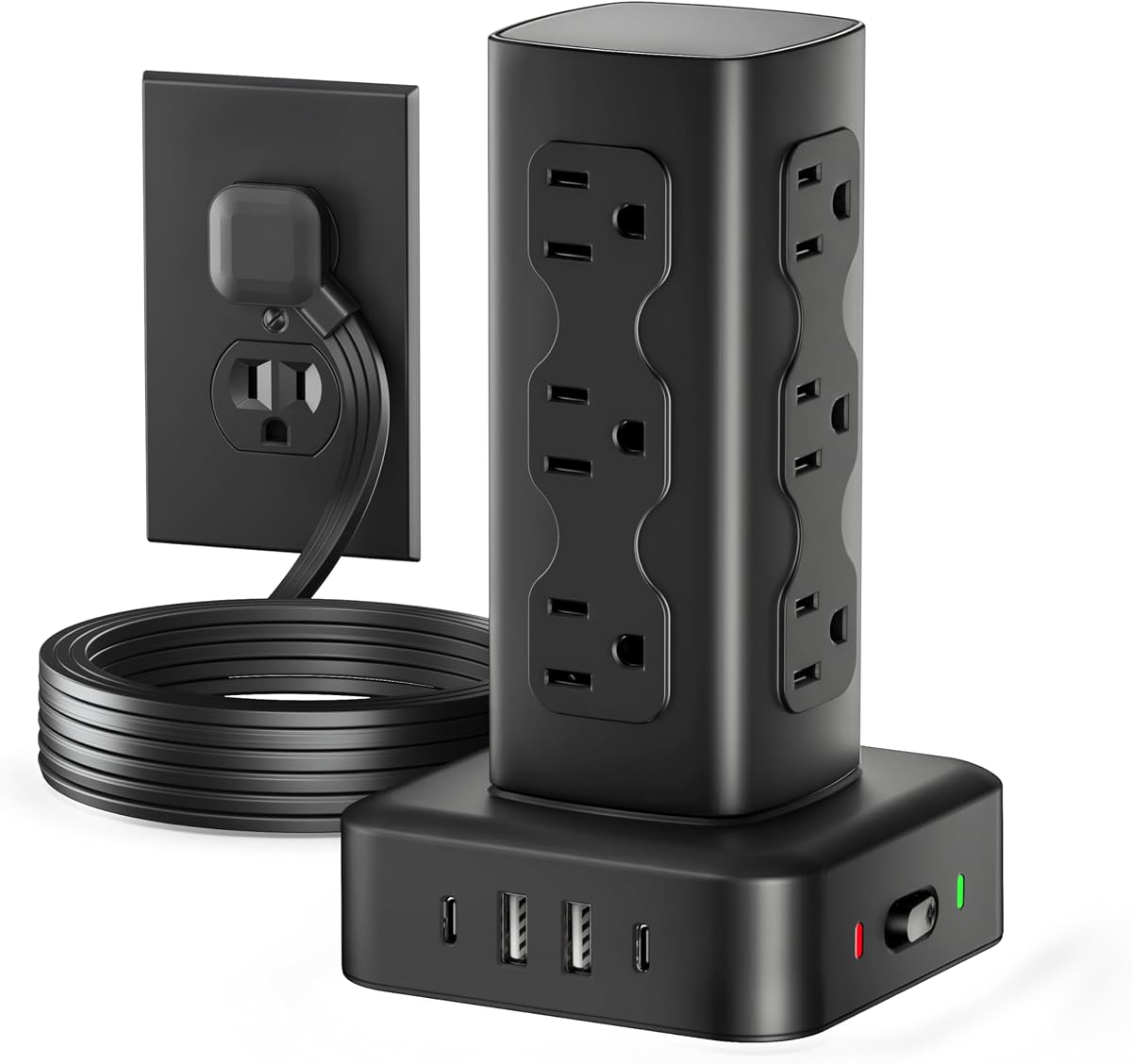
Power Strip Tower with 12 AC Outlets
4.7Editor score
12 AC outlets and 4 USB ports
0.31 inch flat plug design
2000 joule surge protection
Discover the top charging tower options for your home or office. This guide compares power strips, USB ports, surge protection, and design features.
In today connected connected world, managing multiple devices requires a reliable charging tower. A good tower consolidates outlets and USB ports while keeping your space tidy and organized for better workflow efficiency.
We compared ten leading models based on outlet count, USB speed, safety certifications, and build quality. Our analysis focuses on real-world usability and durability for home and office environments.
Each pick highlights specific strengths like fast charging or space-saving designs. Prices and availability change frequently so verify details before purchasing to ensure you get the right fit for your needs.
4.7Editor score

4.7Editor score

4.7Editor score
This table provides a side-by-side overview of all ten selected charging towers. Compare outlet counts, USB capabilities, cord lengths, and safety features to find the ideal match for your setup.


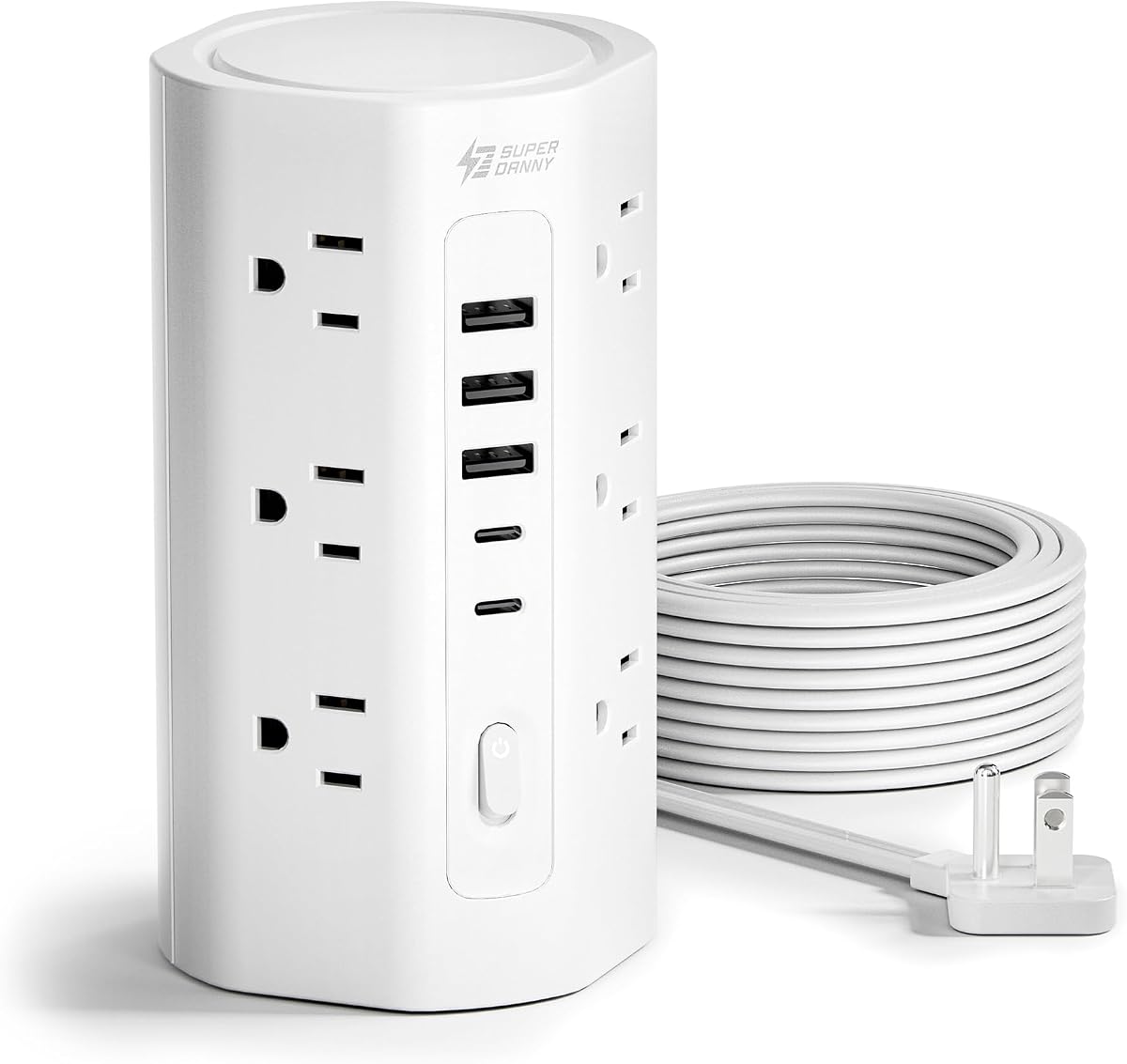
This kakyanill charging tower stands out with its high capacity and space-saving design. It holds a solid 4.5 rating from users who appreciate the convenience of its retractable cord and vertical layout.
We may earn a commission when you buy through this link, at no additional cost to you.
The nine AC outlets and eight USB ports allow you to power nearly all your devices simultaneously. The 6-foot retractable flat cord helps reduce clutter while offering flexible reach across your desk or floor.
While the tower is robust, some users note the rotation mechanism can be stiff during initial use. The base weight ensures stability but requires firm pressure to rotate smoothly for cord retraction.
Ideal for home offices or dorm rooms needing maximum connectivity in a small footprint. Its safety features and compact profile make it a top choice for organized power management.
With 17 total ports this tower eliminates the need for multiple adapters. Keep phones laptops and peripherals all charged from a single source.
The vertical layout and flat plug allow placement behind furniture. This saves valuable desk space while keeping cords hidden from view.
We may earn a commission when you buy through this link, at no additional cost to you.
The JACKYLED tower earns our editor's choice for its balance of capacity and smart features. It holds a 4.7 rating thanks to its reliable protection and thoughtful design for heavy users.
We may earn a commission when you buy through this link, at no additional cost to you.
Twelve AC outlets provide ample room for bulky adapters without blocking neighbors. Six smart USB ports including two USB-C detect your device for optimal charging speeds without extra bricks.
Individual switches on each layer give you precise power control. This saves energy by letting you turn off specific devices rather than the whole tower at once.
Perfect for media centers or gaming setups with many peripherals. Its sturdy build and comprehensive protection make it a dependable long-term investment for your electronics.
USB ports adapt to connected devices for safe efficient power delivery. Your gadgets charge faster without risking battery damage from inconsistent voltage.
Independent switches let you manage power zones easily. Combined with 1050 joules of protection you can run sensitive gear with peace of mind.
We may earn a commission when you buy through this link, at no additional cost to you.
This model delivers impressive USB power with 115W total output. It receives a 4.5 rating for its ability to fast charge laptops and phones simultaneously through multiple USB-C ports.
We may earn a commission when you buy through this link, at no additional cost to you.
The USB-C ports support up to 65W each allowing laptop charging without a separate brick. This is ideal for travelers who want one tower to handle all their portable electronics needs.
Users should remove thick phone cases to prevent overheating during fast charging sessions. The compact tower shape keeps your desk clear but the plastic body feels less premium than metal alternatives.
Recommended for power users who need rapid USB charging in a compact form. Its safety indicator and reset switch add reliability to daily use.
Two USB-C ports deliver enough power for most ultrabooks. Eliminate carry multiple adapters when working from home or a coffee shop.
Anti-slip feet keep the tower secure on smooth surfaces. Its small footprint fits easily on nightstands or crowded workspaces.
We may earn a commission when you buy through this link, at no additional cost to you.
Offering exceptional value this tower is our pick for best budget option. It holds a 4.7 rating for delivering reliable protection and ample outlets at a competitive price.
We may earn a commission when you buy through this link, at no additional cost to you.
Twelve AC outlets ensure you never run out of space for plugs. The 2000 joule surge protection exceeds many competitors providing strong defense against power spikes.
While it has fewer USB ports the available slots are useful for phones and tablets. The flat plug and 6-foot cord make installation easy behind furniture or tight wall outlets.
Best for students or offices needing basic power expansion. It offers essential features without unnecessary complexity making it a practical affordable solution.
2000 joules of protection safeguard your investments from surges. This is critical for sensitive electronics like TVs and gaming consoles.
Wide spacing prevents large adapters from blocking neighbors. You can plug in bulky power bricks without losing adjacent socket access.
We may earn a commission when you buy through this link, at no additional cost to you.
This tower prioritizes USB speed with 230W total output. It holds a 4.5 rating for users needing rapid charging for laptops and multiple mobile devices simultaneously.
We may earn a commission when you buy through this link, at no additional cost to you.
Color-coded ports help you identify charging speeds quickly. Orange USB-C ports offer high power for laptops while others handle phones and earbuds without confusion.
The trade-off is a shorter 5-foot cord and fewer AC outlets. If you need many wall outlets you might find this limiting for desktop setups with many peripherals.
Recommended for users focused on USB device power. Its compact size and robust safety make it a solid choice for nightstands or small workstations.
Port colors indicate power levels for quick identification. Simplify your cable management by knowing which port fits your device.
The slim tower blends into any decor without bulk. Ideal for tight spaces where a large power strip would be cumbersome.
We may earn a commission when you buy through this link, at no additional cost to you.
This tower solves reach issues with a 10-foot pure copper cord. It earns a 4.7 rating for its long reach and safety features suited for hard-to-reach outlets.
We may earn a commission when you buy through this link, at no additional cost to you.
The 0.27 inch flat plug fits tight behind furniture. This prevents outlet blockage and allows the tower to stand flush against walls for a clean look.
While USB power is modest the 12 AC outlets cover heavy needs. The fire-resistant housing adds critical protection for high-traffic areas like living rooms.
Ideal for bedrooms where the wall outlet is far from the bed. Its length and safety specs make it a practical choice for flexible placement.
A 10ft cord eliminates the need for extra adapters. Place your tower where you need power regardless of outlet location.
High-temperature housing materials prevent fire hazards. This feature provides peace of mind when devices run overnight.
We may earn a commission when you buy through this link, at no additional cost to you.
Anker's reputation shines in this premium desktop charger. It holds a 4.7 rating for its high build quality and strong USB-C performance for professional environments.
We may earn a commission when you buy through this link, at no additional cost to you.
Two USB-C ports support up to 100W for laptop charging. This replaces bulky power bricks with a sleek hub suitable for work-from-home setups.
Fewer AC outlets mean it suits USB-heavy users. The 8-point safety system ensures robust protection against overvoltage and short circuits.
Best for professionals needing a reliable desktop power hub. While pricier it delivers consistent performance and safety that justifies the investment.
Solid construction ensures long-term durability. The weight keeps it stable when connecting multiple heavy devices.
100W output charges most laptops at full speed. Reduce cable clutter by relying on USB-C for power delivery.
We may earn a commission when you buy through this link, at no additional cost to you.
This tower offers long reach with a 10-foot flat cord. It holds a 4.5 rating for versatility across homes offices and RVs needing flexible placement.
We may earn a commission when you buy through this link, at no additional cost to you.
The dedicated 20W PD port ensures fast iPhone charging. With 12 wide AC outlets you can connect large adapters without interference from neighbors.
It includes a weighted base to prevent tipping during use. While basic it balances cost and features well for general household needs.
Great for RVs or large rooms where outlets are distant. Its design supports diverse setups making it a practical multipurpose choice.
Suitable for home office and travel setups. The cord length adapts to different room layouts easily.
The 20W PD port charges phones quickly. Saves time on daily top-ups without extra adapters.
We may earn a commission when you buy through this link, at no additional cost to you.
Compact yet capable this tower fits neatly on any surface. It earns a 4.7 rating for its practical design and reliable protection for daily electronics use.
We may earn a commission when you buy through this link, at no additional cost to you.
Twelve wide AC outlets accommodate bulky adapters easily. The 1800 joule surge protector keeps your gear safe from power spikes common in older homes.
The 0.30 inch flat plug allows flush wall placement. This design prevents outlet blockage and keeps the area tidy behind furniture.
Best for desks or nightstands with limited space. It balances size and performance well for most household users.
Its vertical tower design takes less surface area. Ideal for desks crowded with monitors and laptops.
Wide spacing ensures every plug fits without blocking. This saves frustration when managing multiple devices.
We may earn a commission when you buy through this link, at no additional cost to you.
This tower combines long reach with robust safety features. It holds a 4.7 rating for its durable build and comprehensive protection package for varied uses.
We may earn a commission when you buy through this link, at no additional cost to you.
The V-0 fire-retardant casing offers superior fire resistance. A 10-foot flat cord ensures placement flexibility without tripping hazards.
Includes a 3-year maintenance plan for added security. The sturdy rubber feet keep the tower stable during daily plugging and unplugging.
Ideal for high-traffic areas needing reliable power. Its build quality and safety details make it a dependable long-term choice.
Fire-retardant materials reduce risks during surges. Essential for protecting expensive electronics over time.
A 3-year plan covers unexpected failures. This support ensures you never face downtime without backup.
We may earn a commission when you buy through this link, at no additional cost to you.
Selecting the right charging tower involves evaluating several technical and practical factors. Use this guide to find a model that fits your space power needs and safety standards.
Consider how many devices you need to connect at once. Look for widely spaced outlets to ensure large adapters do not block each other.
Prioritize models with at least 12 AC outlets if you have many peripherals.
Check the total USB wattage and individual port speeds. USB-C ports with PD support are ideal for charging laptops without separate bricks.
Ensure the total output matches your devices like phones and tablets combined.
Aim for at least 1000 joules of surge protection to safeguard electronics. Higher ratings offer better defense against voltage spikes.
Look for additional protections like overheat and short-circuit safeguards.
Measure the distance from your outlet to your desk. Standard 6-foot cords work for most setups but 10-foot options offer more flexibility.
Flat cords lay flush to prevent tripping and keep areas tidy.
Verify UL FCC or RoHS certifications to ensure compliance with standards. These indicate the product has been tested for safety.
Certified products reduce risks of electrical hazards in your home.
Choose a tower with a stable base and fire-resistant materials. Anti-slip feet prevent tipping when heavy devices are plugged in.
Vertical designs save desk space and keep cables organized.
Look for features like individual switches or retractable cords. These add convenience by letting you control power zones easily.
Some towers include reset buttons or indicator lights for status checks.
Review the manufacturer warranty period for peace of mind. A longer warranty indicates confidence in the product's durability.
Check customer service availability for troubleshooting or replacements.
Start by placing the tower on a stable flat surface. Avoid damp or hot areas to ensure the electronics stay dry and cool.
Plug the flat plug firmly into the wall outlet before connecting devices. Ensure the tower is within a safe distance from water sources.
Unplug the tower during thunderstorms or extended absences. Regularly clean the surface with a dry cloth to prevent dust buildup.
Yes charging towers are ideal for gaming setups due to their multiple outlets and USB ports. They consolidate power for PCs monitors and consoles in one place.
Most towers support between 15 to 20 devices simultaneously. Check the total wattage to ensure it meets your load requirements.
Surge protection is vital to protect sensitive electronics from voltage spikes. Always choose a tower with at least 1000 joules of protection.
Yes towers with high-wattage USB-C ports can charge laptops directly. Ensure the output meets your laptop power adapter specs.
Yes provided they have safety certifications and fire-resistant materials. Look for models with auto-shutoff features for extra safety.
Unplug the tower before cleaning with a dry cloth. Avoid water near outlets to prevent short circuits or electrical damage.
We reviewed ten top charging towers ranging from budget picks to premium models. Each offers unique strengths like high USB wattage or long cords.
Prioritize surge protection and outlet spacing when making your final choice. Ensure the tower fits your space and meets all your device needs.
Prices and availability may change so verify current listings before buying. Select a tower that keeps your power needs organized and efficient.